
Six steps.
Before the workshop.
Bring your laptop to the session. A phone or tablet won't work.
Get a paid Claude account
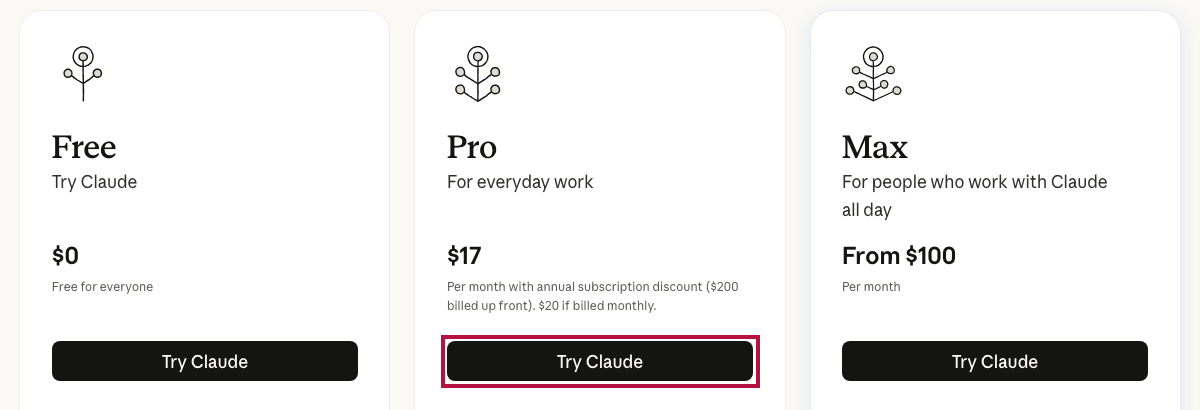
Go to claude.com/pricing and click Try Claude under Pro. Sign up, or log in if you already have an account. The free plan doesn't include the coding tool we use.
Install the Claude desktop app
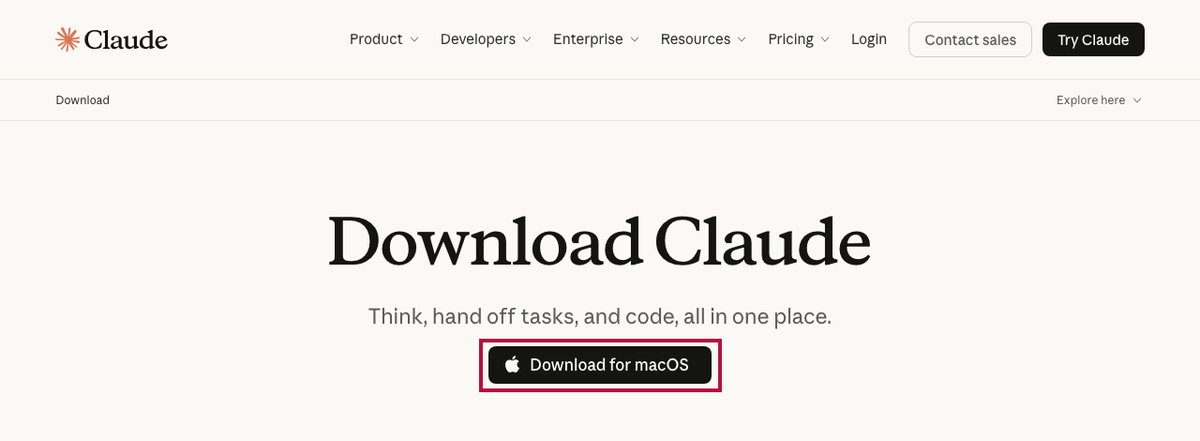
Download it from claude.ai/download, install it, and sign in. Stuck? Paste this into a chat at claude.ai:
I'm on a [Mac / Windows] computer. Walk me through downloading, installing, and signing in to the Claude desktop app, one step at a time. Wait for me to say "done" before giving the next step.Install Node.js
Node.js is what lets you preview your site on your own computer. Paste this into a chat in the Claude app:
I'm on a [Mac / Windows] computer and I've never installed developer tools. Walk me through installing the LTS version of Node.js from nodejs.org, one step at a time, and wait for me to say "done" before each next step. Then show me how to check that it worked.Download the starter folder
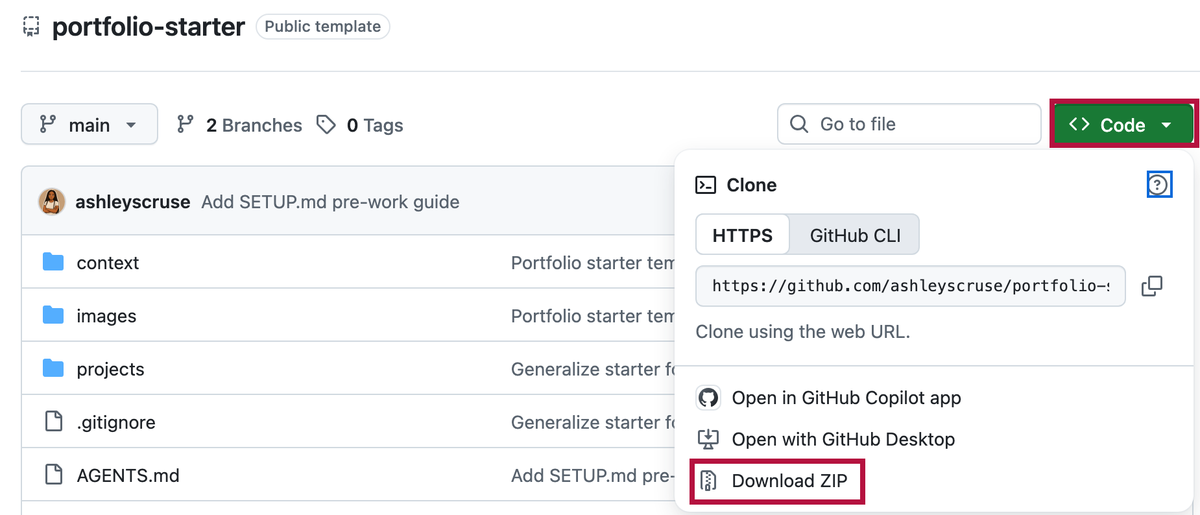
Go to github.com/ashleyscruse/portfolio-starter, click the green Code button, then Download ZIP. Unzip it somewhere easy to find, like your Desktop. You don't need a GitHub account.
Test it in the Code tab
In the Claude app, open the Code tab and choose your unzipped portfolio-starter folder. Then paste:
Check that Node.js and npm are installed and tell me the versions. Then run npm install and npm run dev in this folder, and tell me the address to open in my browser. Do not change any files. If anything fails, explain it in plain words and tell me what to do.Fill your folder
Drag a headshot and any project images (posters, charts, screenshots) into the images folder inside portfolio-starter. Then, in the Code tab, paste:
Read SETUP.md and walk me through it, one question at a time.Claude interviews you and fills in the files. Have your résumé or a short bio handy to paste; it goes faster.